
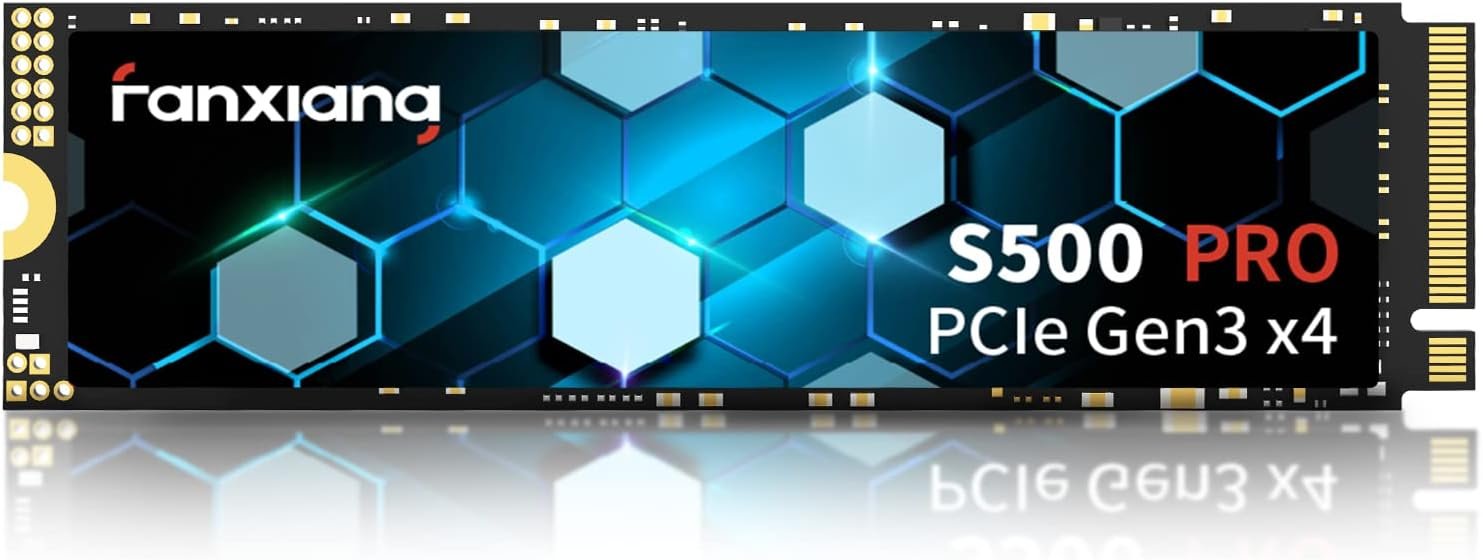


Pros:
✅ PCIe 3.0 x4 NVMe interface is much faster than a traditional SATA SSD or hard drive, making an old laptop feel more responsive.
✅ Uses 3D NAND TLC, which is generally better for durability and sustained performance than cheaper QLC-based drives.
✅ SLC cache helps improve loading times, file transfers, Windows startup, and application installation.
✅ Standard M.2 2280 size works with many laptops and desktop motherboards that support NVMe drives.
✅ Good budget upgrade for Windows, office work, browsing, school use, and light editing.
✅ No cables needed, so installation is relatively simple once the laptop is opened.
Cons:
❌ 256GB capacity is quite limited. After installing Windows and applications, the usable free space can disappear quickly.
❌ Performance may slow down during large file transfers once the SLC cache becomes full.
❌ The listing does not clearly mention whether it has dedicated DRAM, so buyers should verify the exact controller and specifications.
❌ PCIe 3.0 is older technology. It is fine for an old laptop, but newer PCIe 4.0 drives can offer higher speeds on compatible computers.
❌ Your laptop must support NVMe. Some older M.2 slots accept only SATA M.2 drives, even though the connectors look similar.
❌ After-sales support and warranty claims may depend heavily on the seller, especially compared with more established SSD brands.
Overall: A practical and affordable SSD for reviving an older NVMe-compatible laptop. Its TLC memory is a good advantage, but the 256GB capacity is best for basic users rather than large games or heavy video files.
Rating: 4.2/5
Reader reviews
No reader reviews yet. Our editorial rating is separate.